
User and domain management
Manage users, roles, and domains from the portal.
Purpose
This screen is used for both user management and domain management inside ArQiver.
You only see this area if your active role has permission to manage users, roles, domains, or related organisational structure.
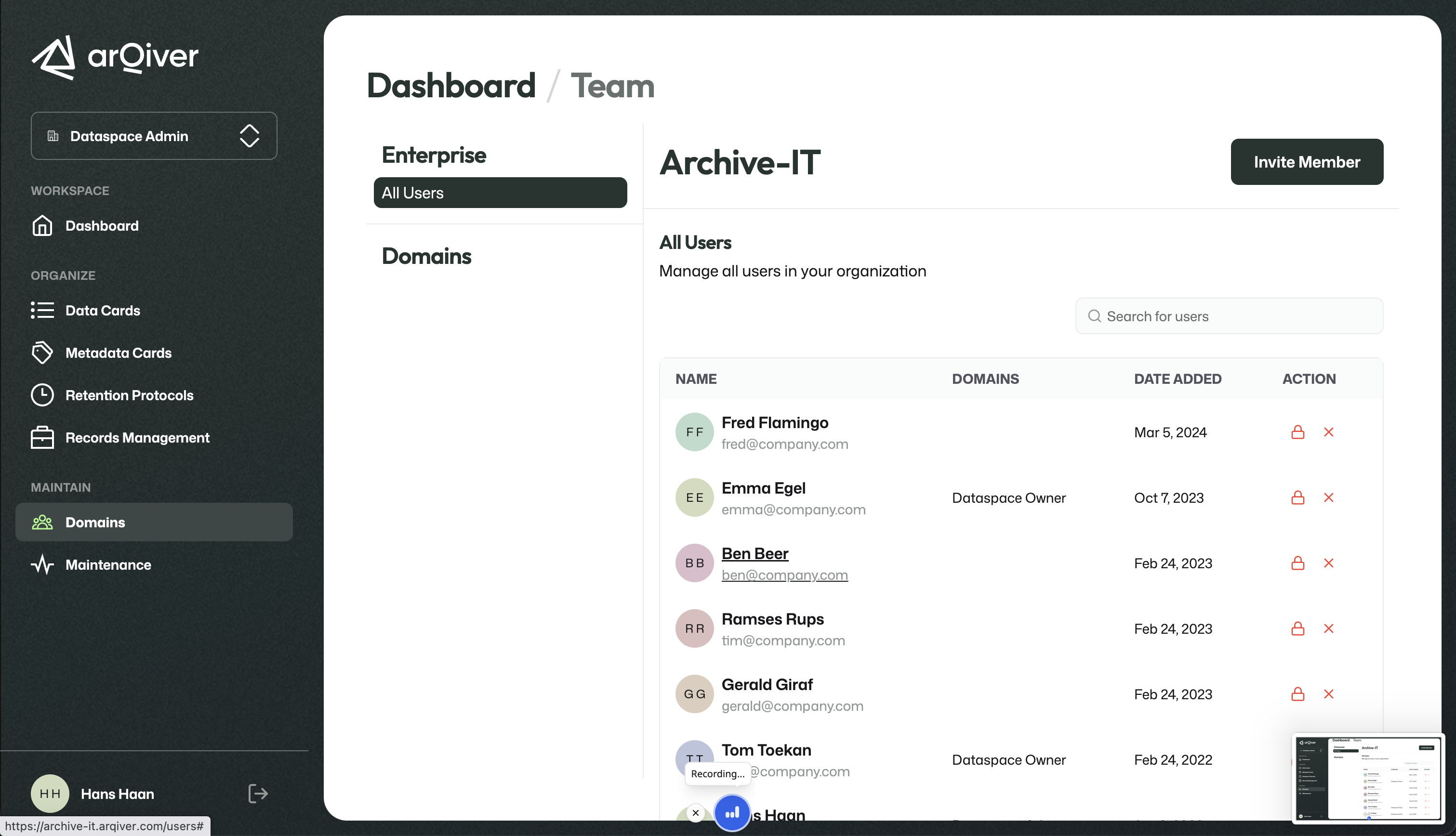
User and domain management screen.
What this screen is for
This is the area where you manage both the people and the organisational structure around the archive.
If you are new to these concepts, it may help to first read Understanding the ArQiver hierarchy.
Depending on your role and the current setup, this can include tasks such as:
- adding users;
- removing users;
- assigning or changing roles;
- creating domains;
- organising users within the domains you create.
This page is also the starting point for adding new domains.
Add a domain
If you are acting as a Dataspace Owner, you can add a new domain from this area.
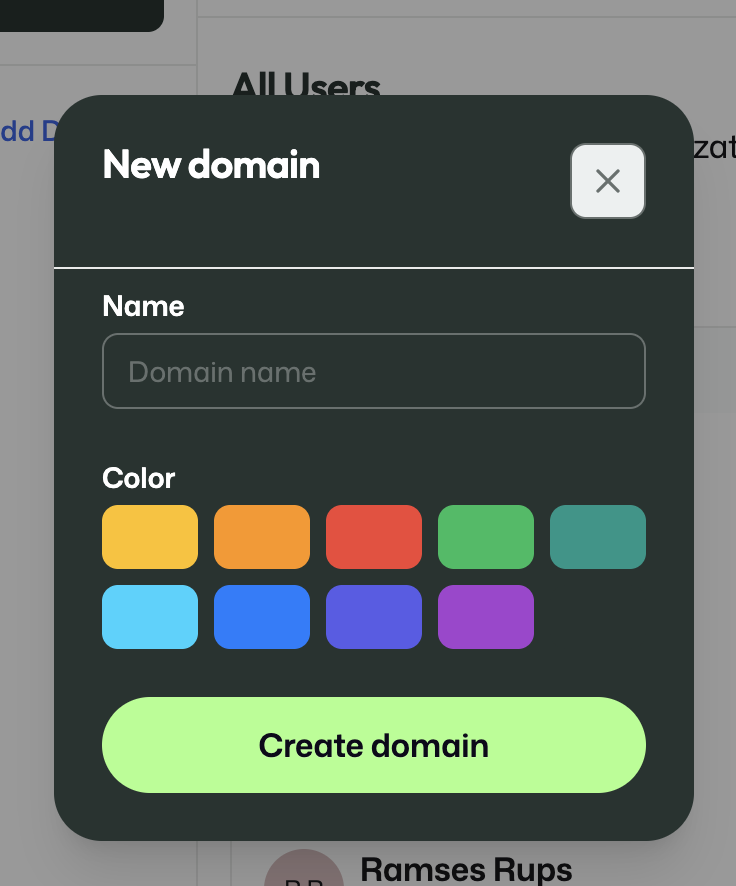
Use the New domain dialog to create a domain and assign it a visual color.
When you create a domain, you define a name and choose a color. Domains are important because they separate organisational context inside the data space. Roles, responsibilities, and access can differ per domain, so creating the right domain structure is part of setting up the archive correctly.
Invite a user
This area also lets you invite a new user into the data space or into a specific domain.
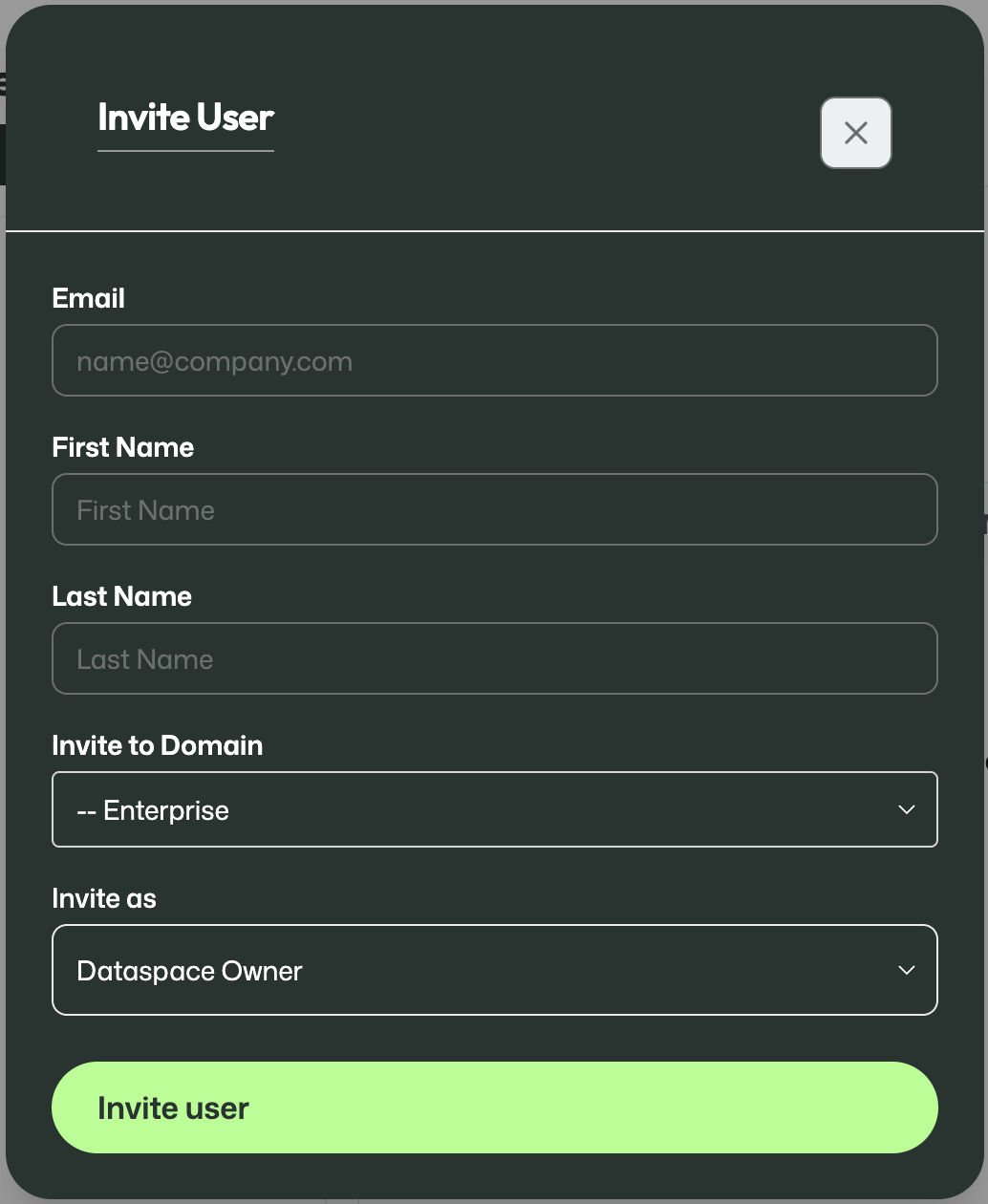
Use the Invite User dialog to add a person and assign an initial role.
When inviting a user, you provide their email address and name, choose the domain they should be invited into, and select the role they should receive.
This makes it possible to build out the organisation step by step and give each user the correct place and responsibility in the structure.
In real use, the first name and last name should be entered exactly as they appear on the person's passport or other identification document.
That detail is not very important for the fictitious users used in the demo, but it does matter in real environments. ArQiver links an account to an identified person, so the account should be created using the same name spelling as shown on the identification document.
Important
Always use the first name and last name exactly as shown on the passport or other identification document.
Role-dependent access
This page is not available to every user. Access depends on the active role you selected in the portal.
That means two users may see a different version of this page, or one user may see it in one role but not in another.
Why this matters
ArQiver separates operational work from structural and governance responsibilities. User and domain management therefore sits behind specific roles, so that organisational changes are made deliberately and from the correct context.
For example, adding a domain is an action that belongs to the Dataspace Owner role.