
Metadata Cards
Define reusable metadata building blocks for later stream design.
Purpose
Metadata Cards are reusable building blocks used to describe and structure metadata in ArQiver.
They belong to the design layer of the platform. You do not create them for one single stream only. Instead, they help teams and domains define shared metadata concepts that can later be reused when streams are assembled.
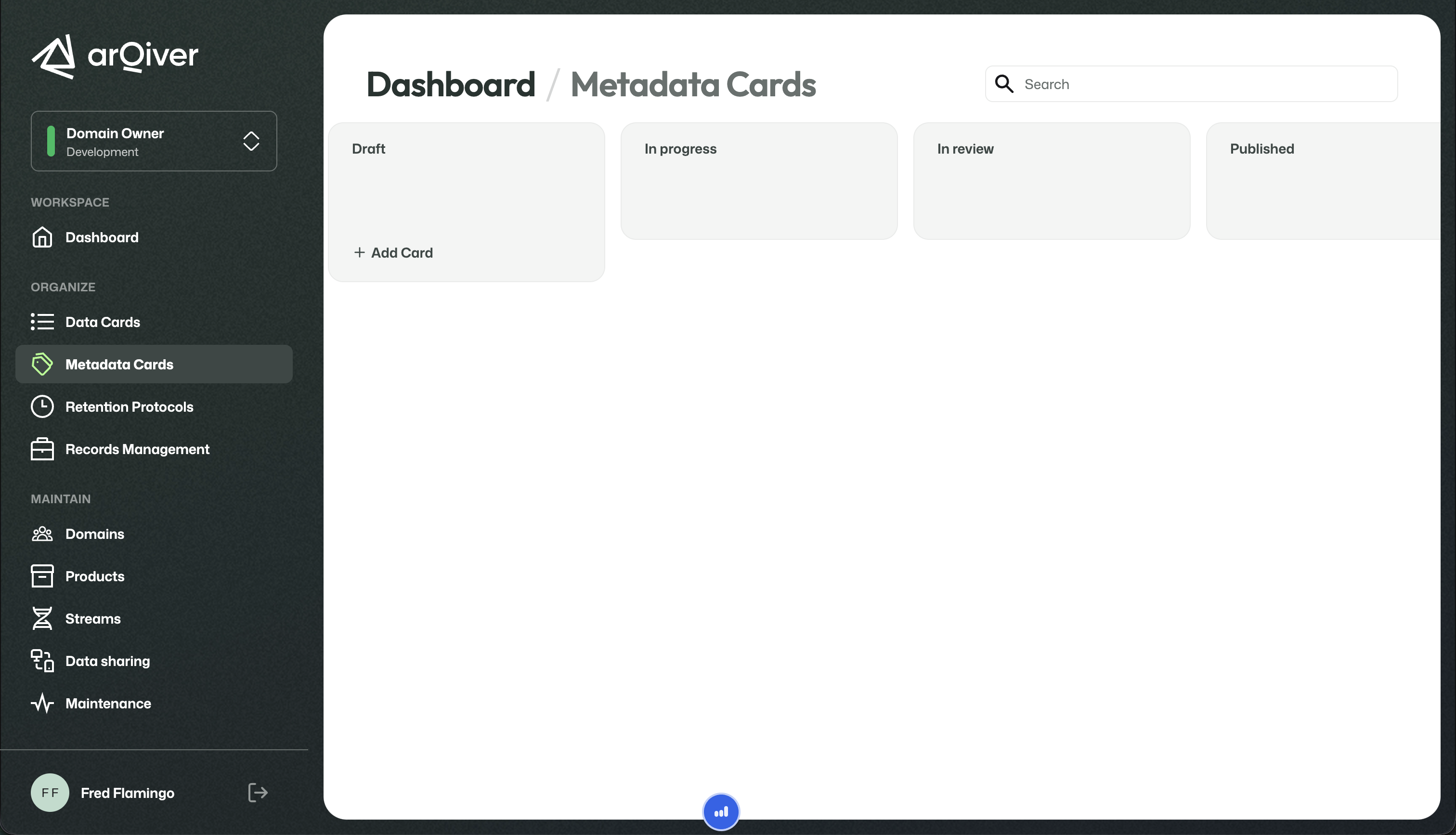
Metadata Cards overview screen.
What this screen is for
This page gives an overview of the Metadata Cards that are available in the current context.
The main idea behind Metadata Cards is that organisations often use the same concepts repeatedly across different streams. Instead of redefining those concepts every time, ArQiver lets you define them once as reusable cards and use them later as building blocks.
This supports collaboration across teams and domains by making vocabulary and metadata structure more consistent.
Who can work with Metadata Cards
Most roles that participate in design and governance are able to work with Metadata Cards.
This is intentional. Metadata design is meant to support collaboration, not to be locked to one single specialist role. Different parts of the organisation can contribute to shaping the vocabulary that will later be used in streams.
Create a new Metadata Card
To create a new Metadata Card, use the plus button on the board.
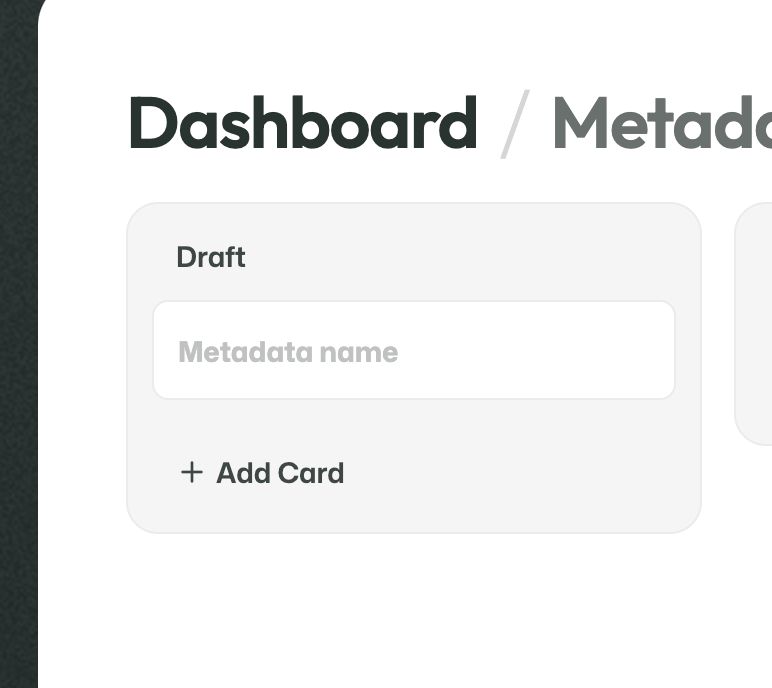
Start by entering the name of the new Metadata Card.
The first step is intentionally small: you create the card by giving it a name.
Once the card has been created, it becomes available on the board and you can continue filling in the rest of the information.
Open and configure a Metadata Card
After creating a card, you can open it to add more detail.
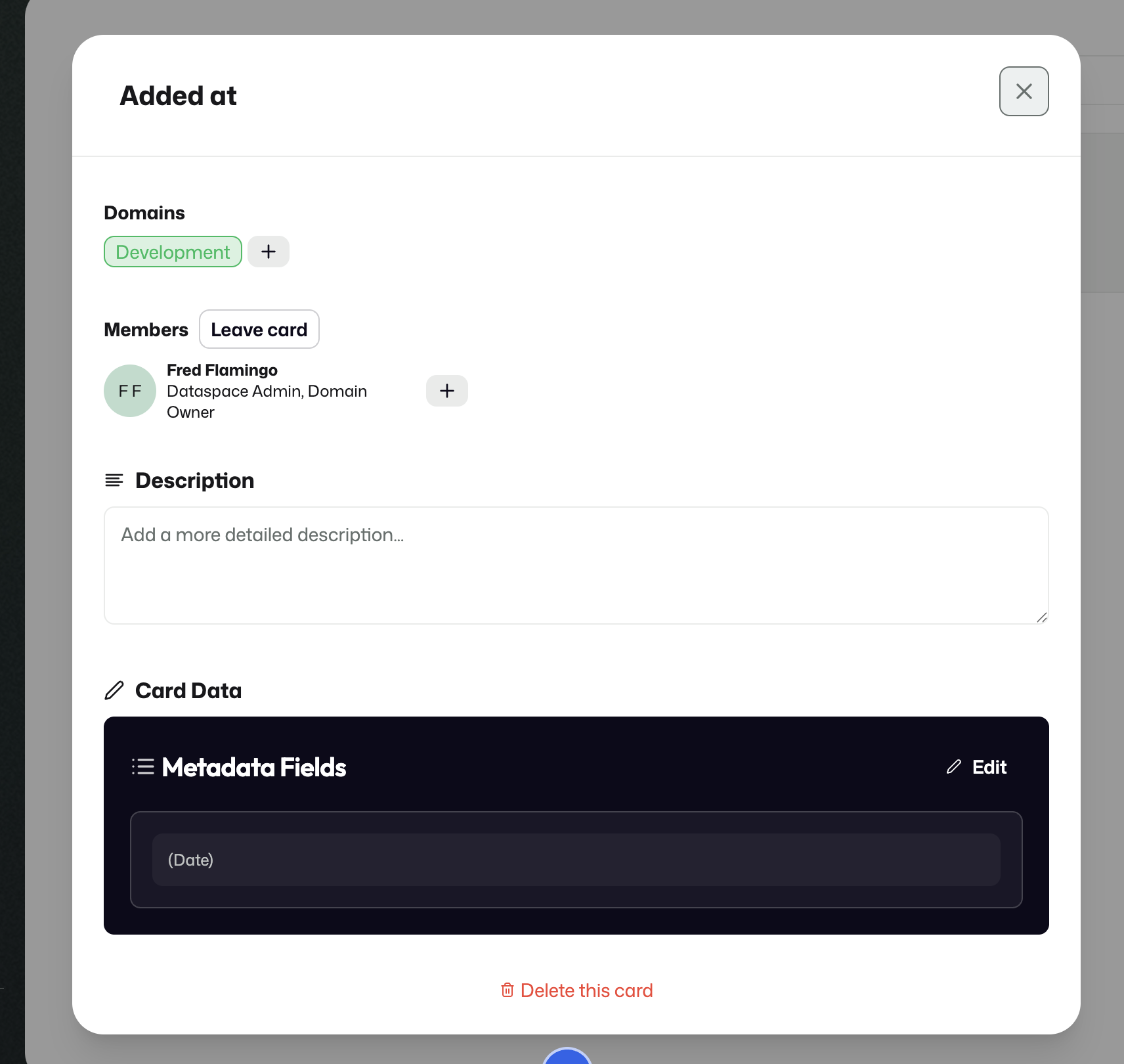
A Metadata Card can be opened to configure domains, description, and card data.
This is where the card becomes more useful as a reusable building block.
Domains
You can add domains to the card so that it becomes available in those domains as well.
This supports collaboration across domains and helps make shared metadata concepts reusable beyond one single team or bounded context.
Description
The description explains why the card exists and gives extra context for the intended meaning of the card.
This helps other users understand when and why the Metadata Card should be used.
Card data
At the bottom of the card, you can configure the metadata fields themselves.
This is where you define the actual structure of the card. You can configure the existing fields and add additional fields when needed.
If you click Add, a field form becomes available.
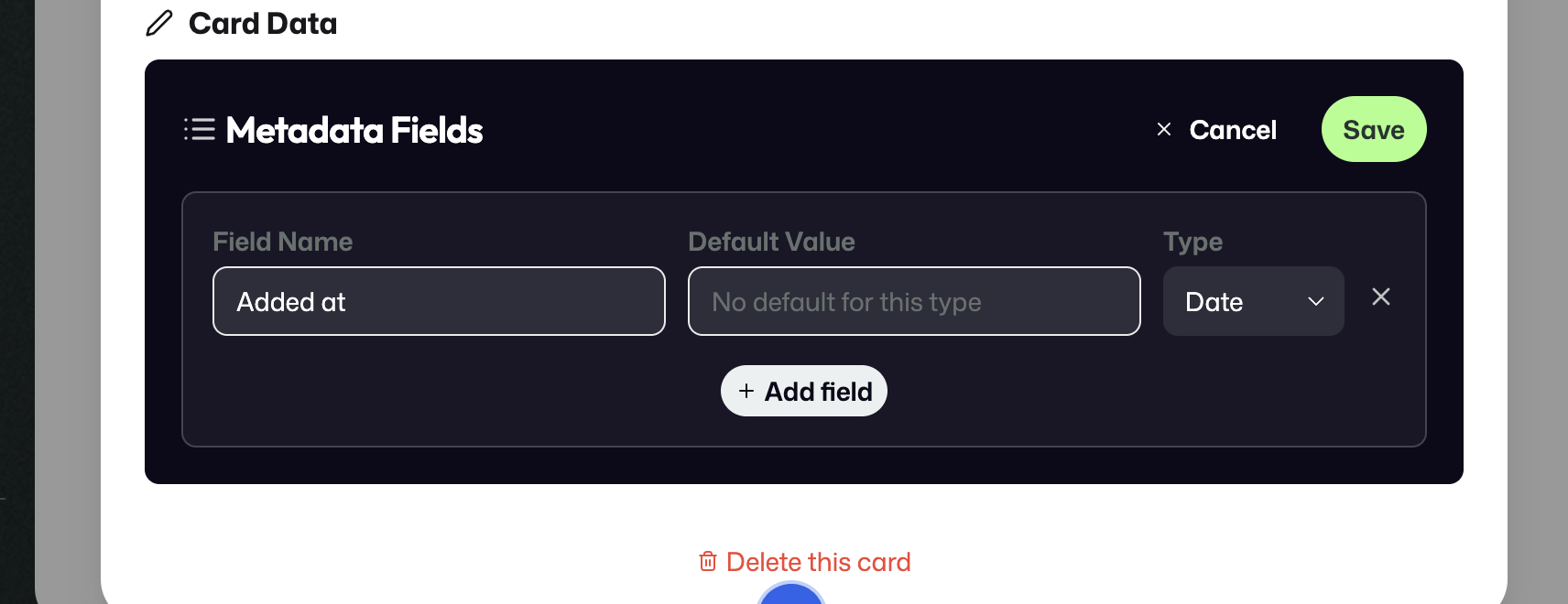
Use the field form to define a field name and, where supported, a default value.
In this form, you can enter:
- a field name;
- a default value, when the selected field type supports it.
Whether a default value can be entered depends on the field type. For some types, a default value makes sense. For others, ArQiver uses system behavior instead.
For example, if the selected type is a date or timestamp-related value, the system may automatically use the date or time at which the document was added to the archive rather than allowing a manual default value. For other types, such as numbers, a default value can be configured.
You can also add multiple fields to the same Metadata Card when the card needs to describe more than one piece of metadata.
The screenshot below shows this behavior for a date field:
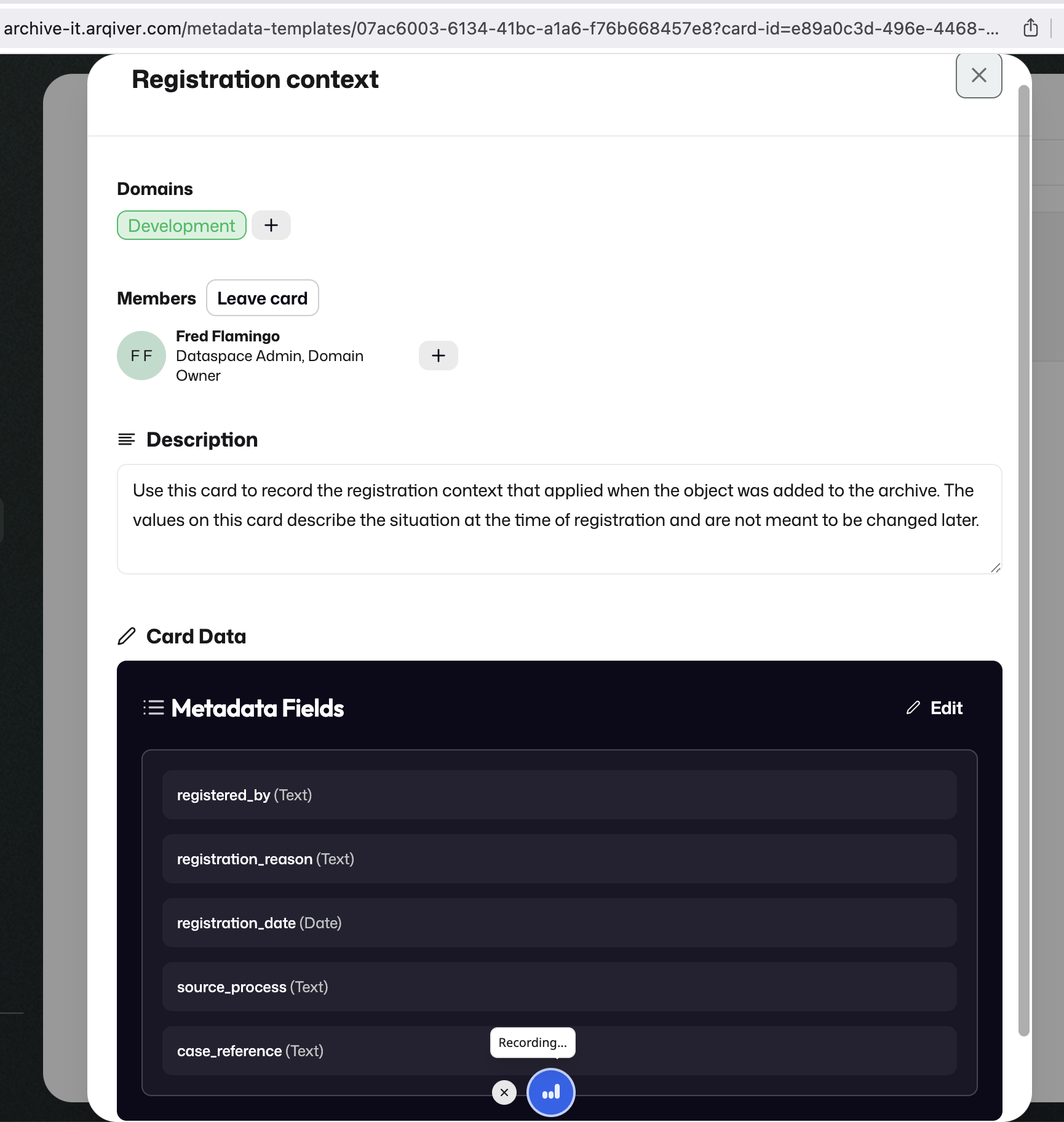
For a Date field, ArQiver does not allow a manual default value in this form.
Lifecycle and status
Metadata Cards move through a lightweight status flow:
DraftIn progressIn reviewPublished
These statuses are used in a relatively flexible way. They help indicate whether a card is still being worked on, is ready for review, or is considered ready for broader use.
At the same time, moving further through the lifecycle creates a bit more commitment. Once a card is further along, especially when it has become part of published work, changing or removing it should happen more deliberately.
Why this matters
Metadata Cards make it easier to design streams from reusable pieces instead of starting from scratch every time.
That makes stream design more consistent, encourages teams to share vocabulary, and reduces the chance that similar concepts are modeled in many slightly different ways.
Mandatory Cards
Within the Metadata Cards board, there is also a special category called Mandatory Cards.
Mandatory Cards are a more specific category within Metadata Cards.
These cards are intended to be used automatically when a stream is created. In other words, they are not just optional metadata building blocks that a team may or may not choose later. They exist so that certain metadata can be assigned to every new stream by default.
This makes them useful when there is metadata that should consistently follow stream creation across the organisation.
Note
Mandatory Cards are treated more restrictively than regular Metadata Cards. The exact ownership and permission model for managing them should be confirmed from the implementation before documenting that part more explicitly.