
Active streams guide
A print-friendly guide to stream operation after publication.
Purpose
Once a stream has been published, it becomes an active stream.
At that point, the focus shifts from setup and approval to operational use, visibility, and access control.
Overview tab
The Overview tab shows the identity and current status of the active stream.
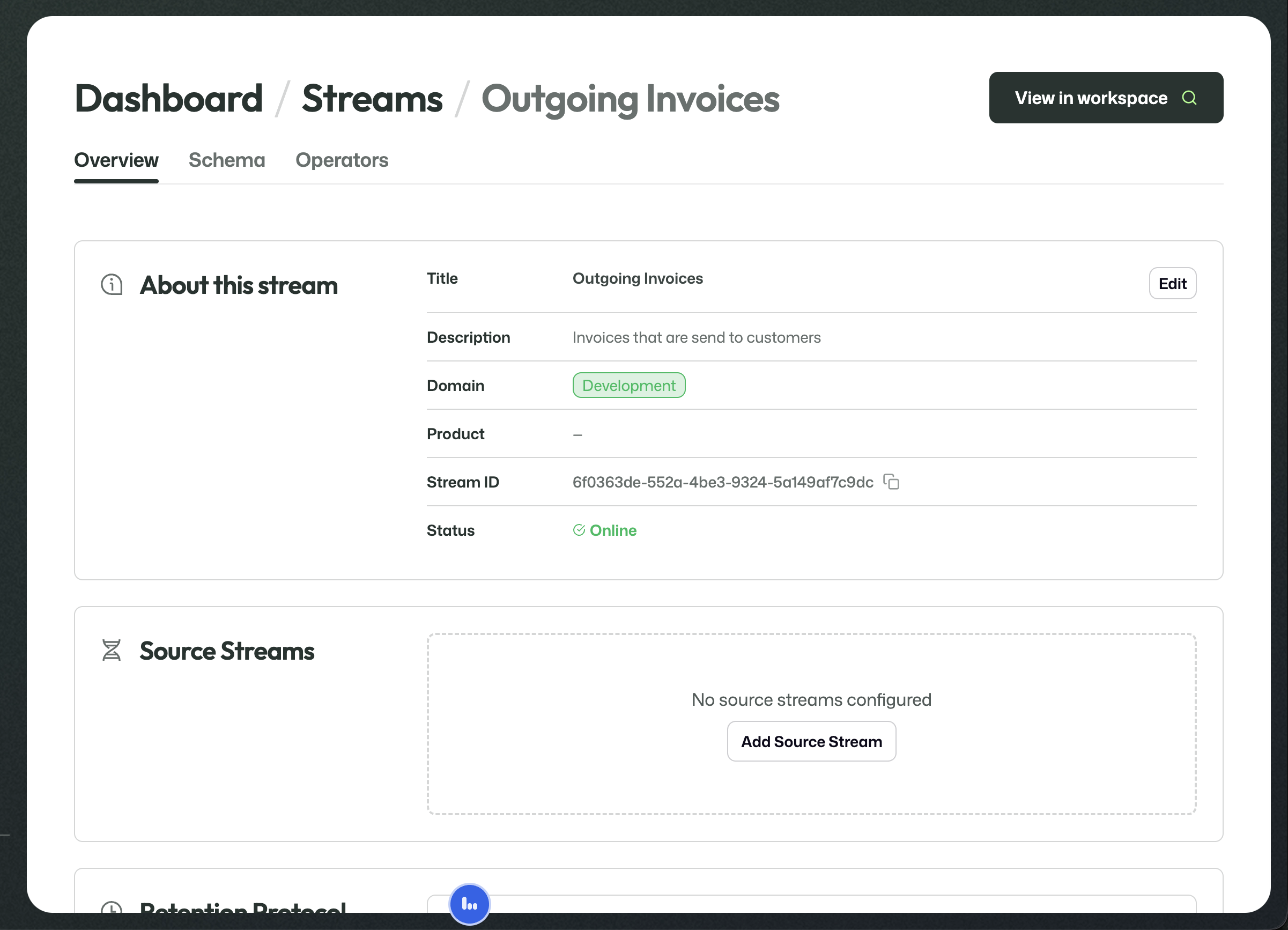
The active stream overview includes the title, domain, stream ID, and online status.
Further down, the same page shows the live configuration that applies to the stream.
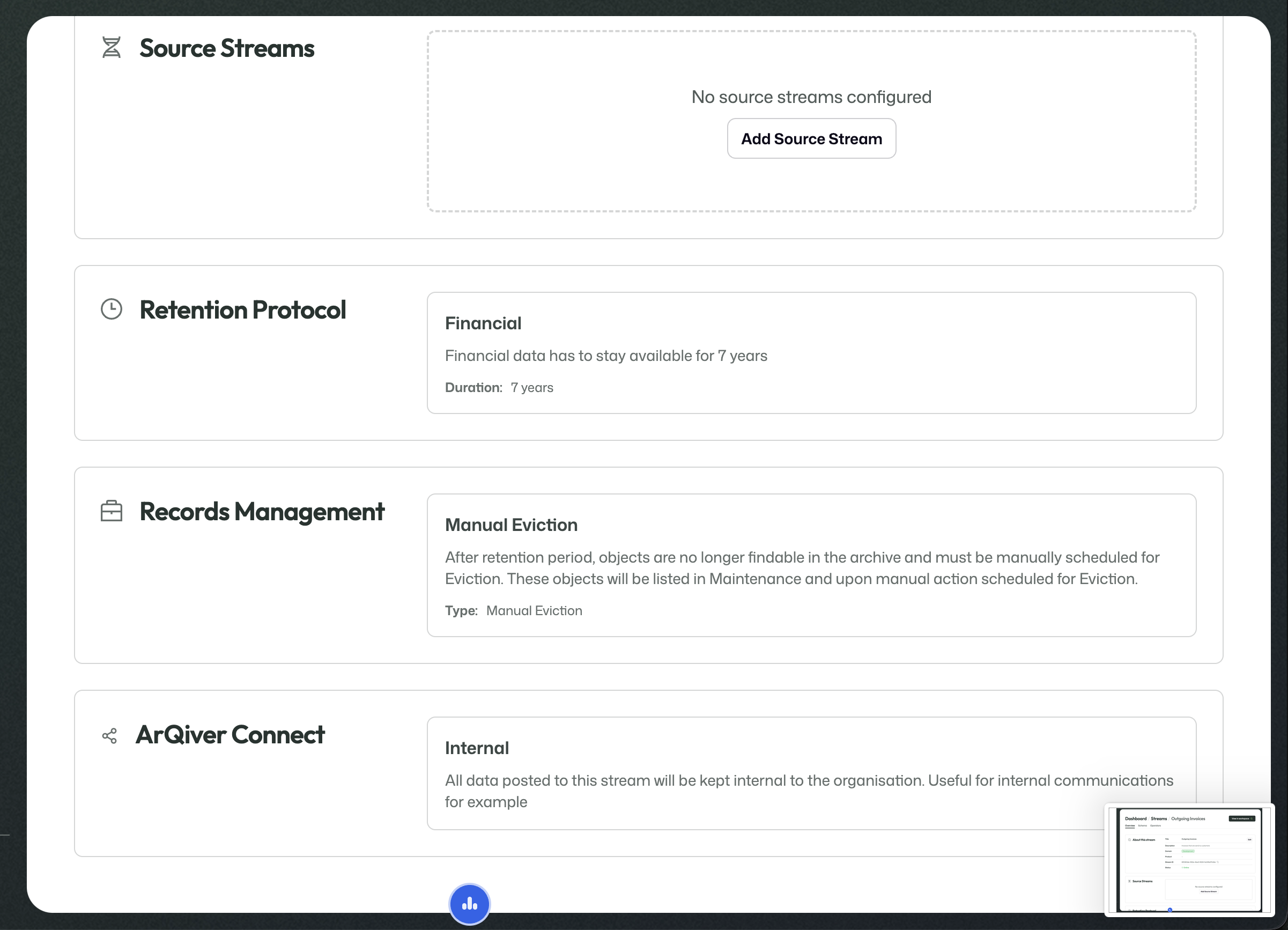
The live configuration includes source streams, retention, records management, and ArQiver Connect.
Schema tab
The Schema tab shows how the live stream is structured.
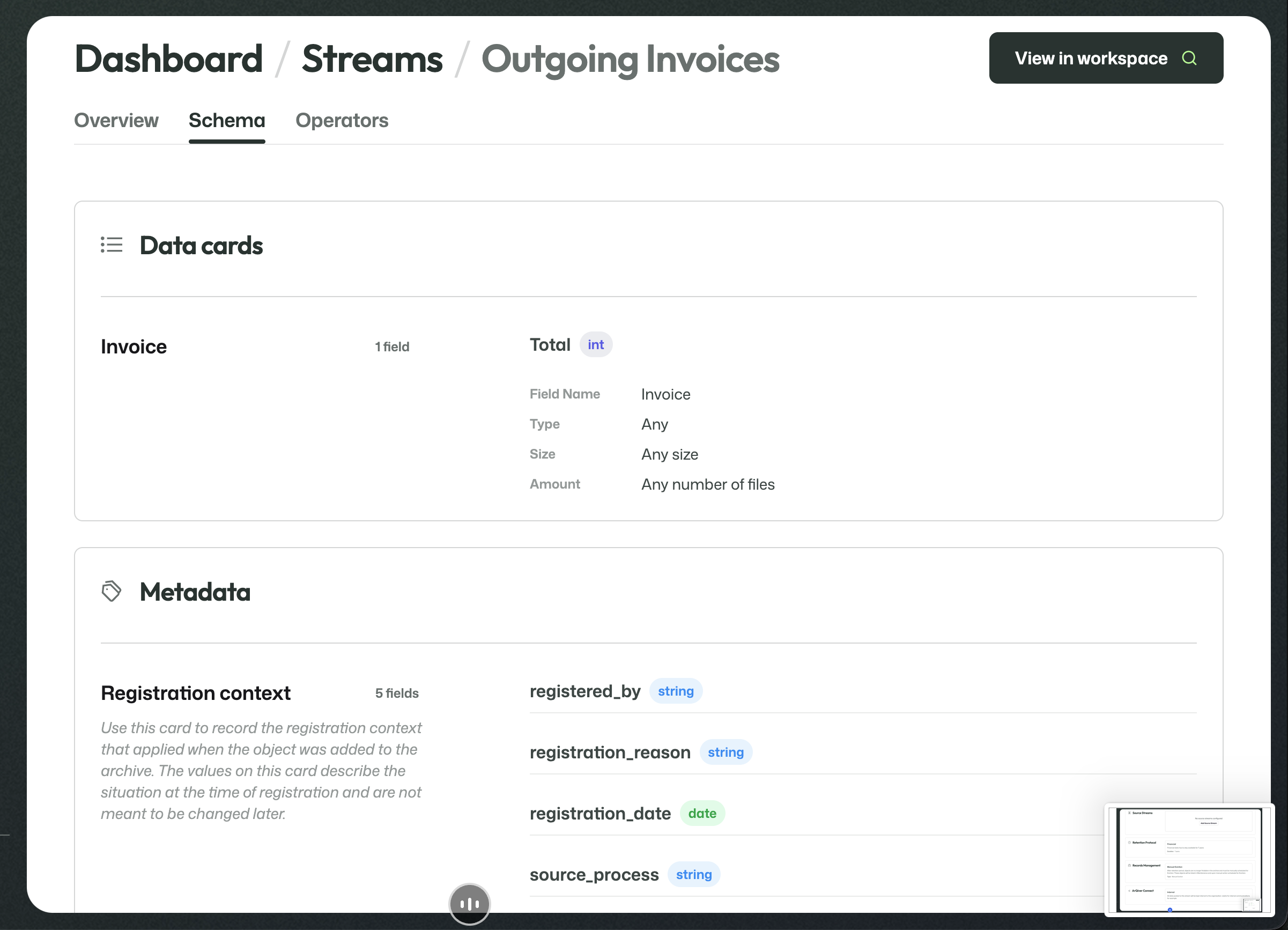
The schema combines the stream's Data Cards and Metadata Cards into one readable view.
Operators tab
The Operators tab determines who may access this stream through the workspace.
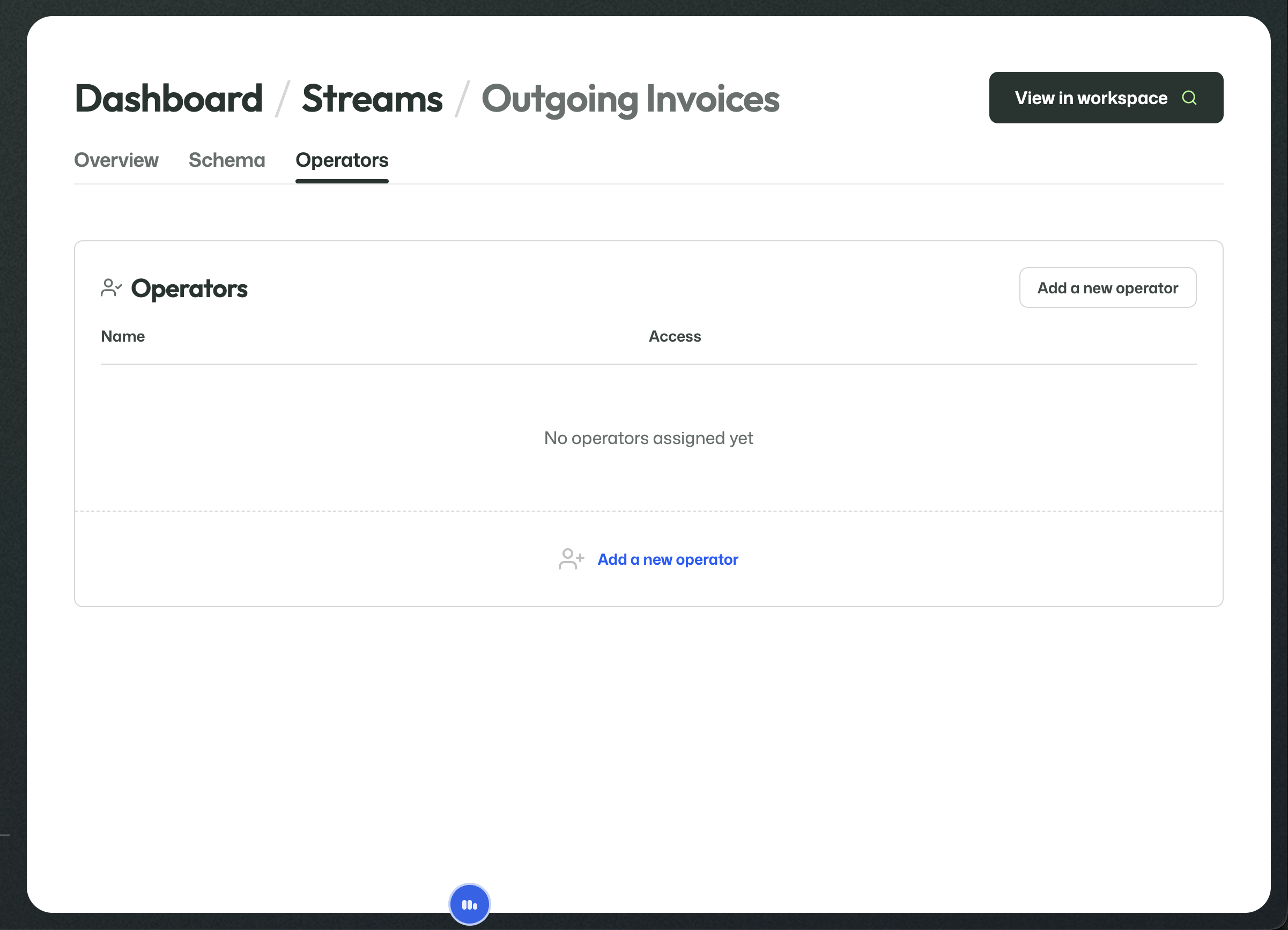
No operator can use the stream in the workspace until an operator is assigned here.
Add an operator
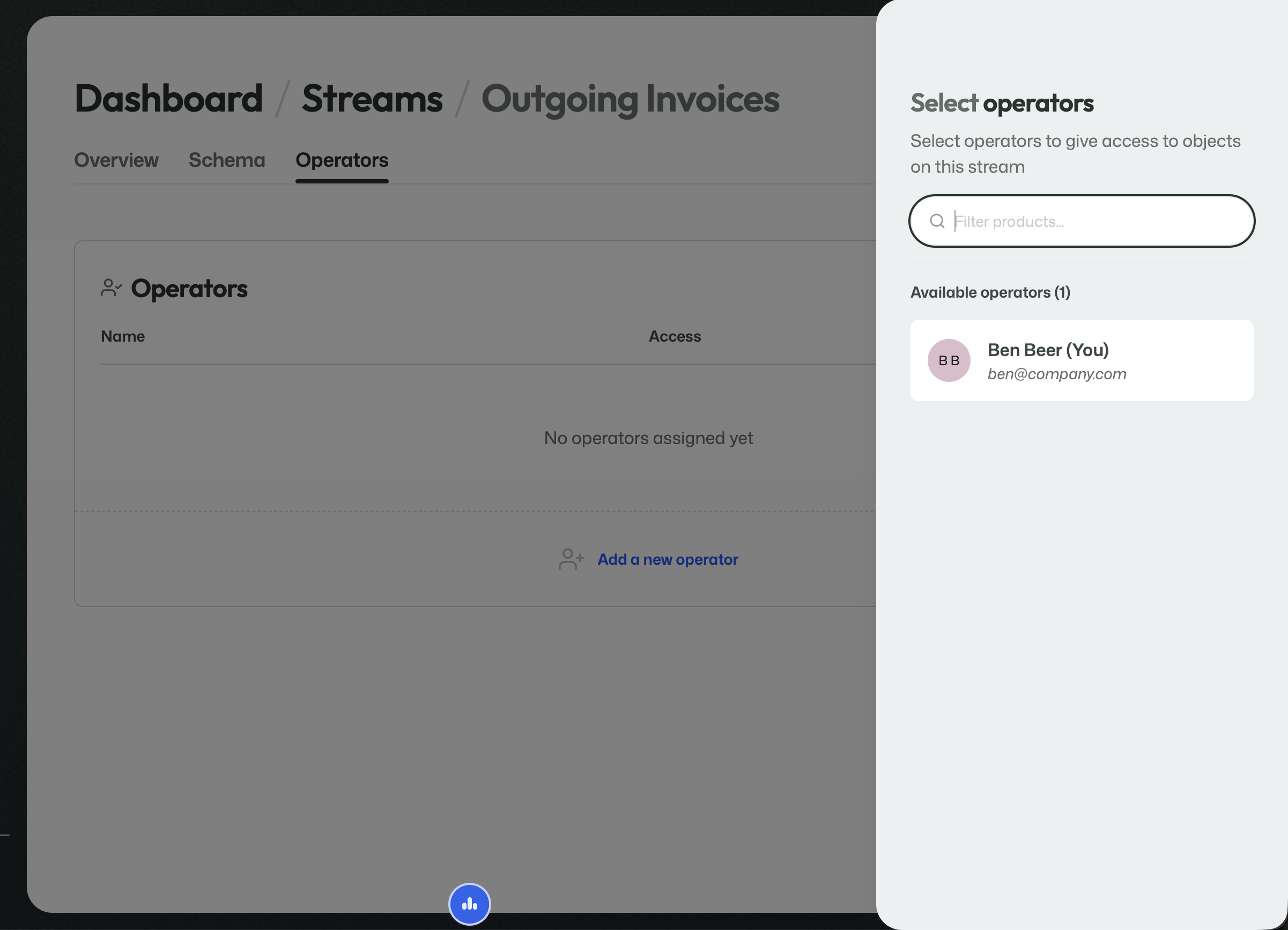
Selecting an operator grants that user access to objects on this stream.
Once assigned, the operator appears in the list together with the current access level.
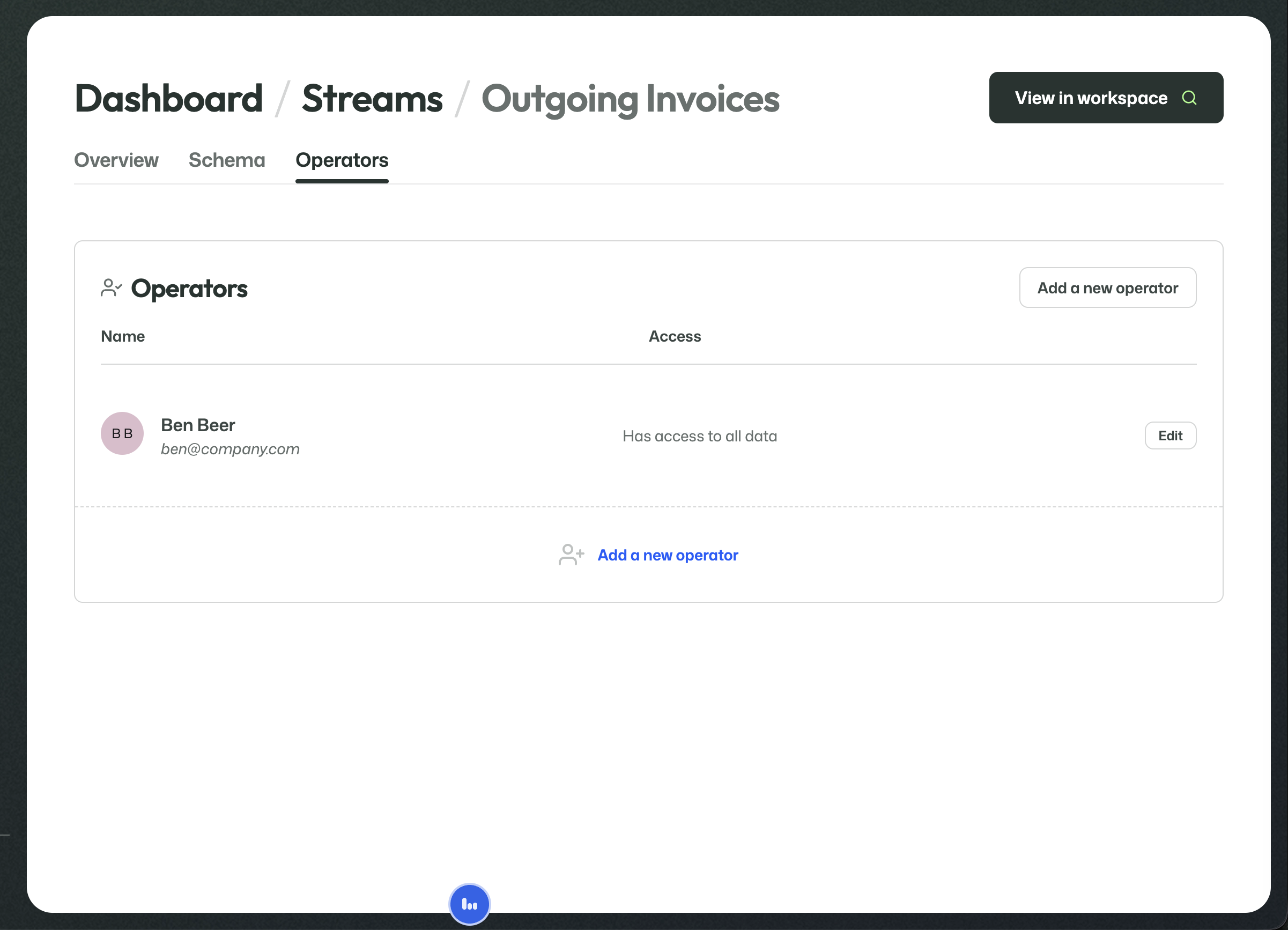
Attribute-level visibility
Operator access can be controlled in detail.
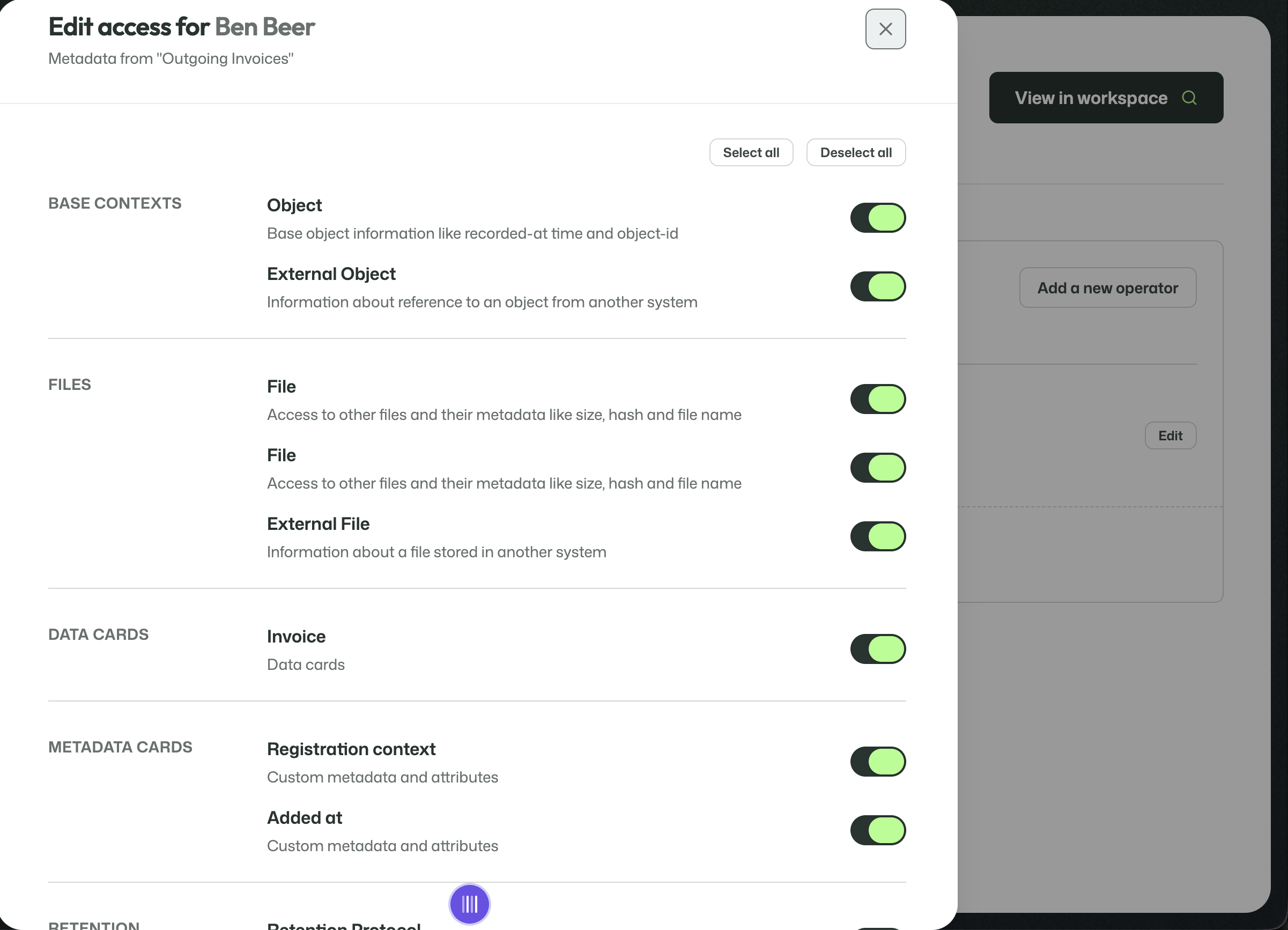
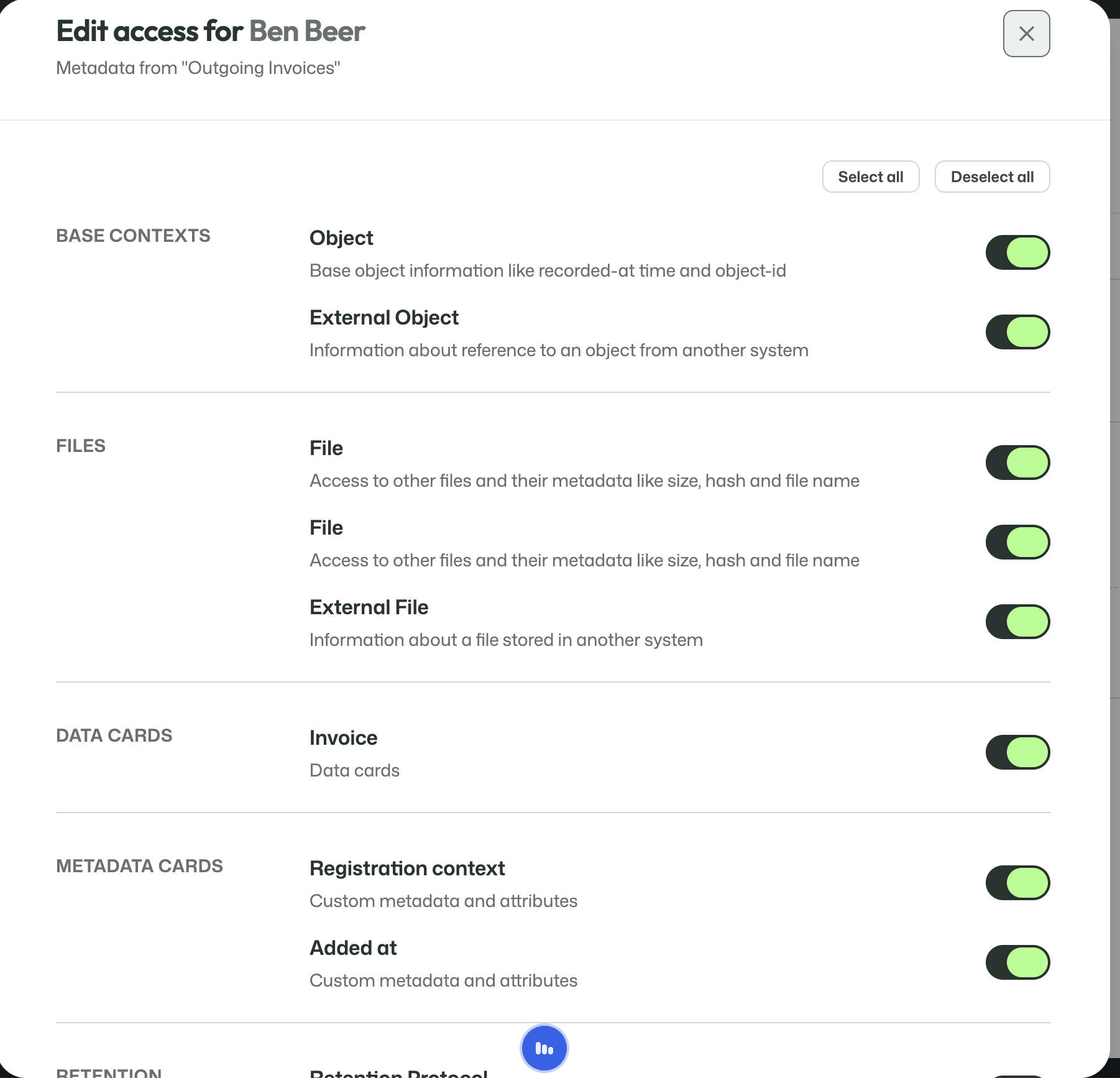
This allows visibility to be split out down to the attribute level across:
- base contexts;
- files;
- Data Cards;
- Metadata Cards;
- retention-related information.
That means an operator can be given exactly the information they need, and no more.
Workspace
The View in workspace button opens the user-facing side of the stream.
That is where users search, inspect, and work with the real archived data that has been uploaded into the stream.
The workspace should be documented separately, because it is no longer about stream configuration but about daily use.