
Demo sign-in
Use the demo sign-in screen to switch between fictitious users and roles.
Purpose
In the demo environment, ArQiver starts with a dedicated sign-in screen that lists fictitious user accounts. This screen exists to make demonstrations easier. It allows you to open the portal from different perspectives without creating real accounts or using the normal production sign-in flow.
This page is intended for demos and test scenarios only.
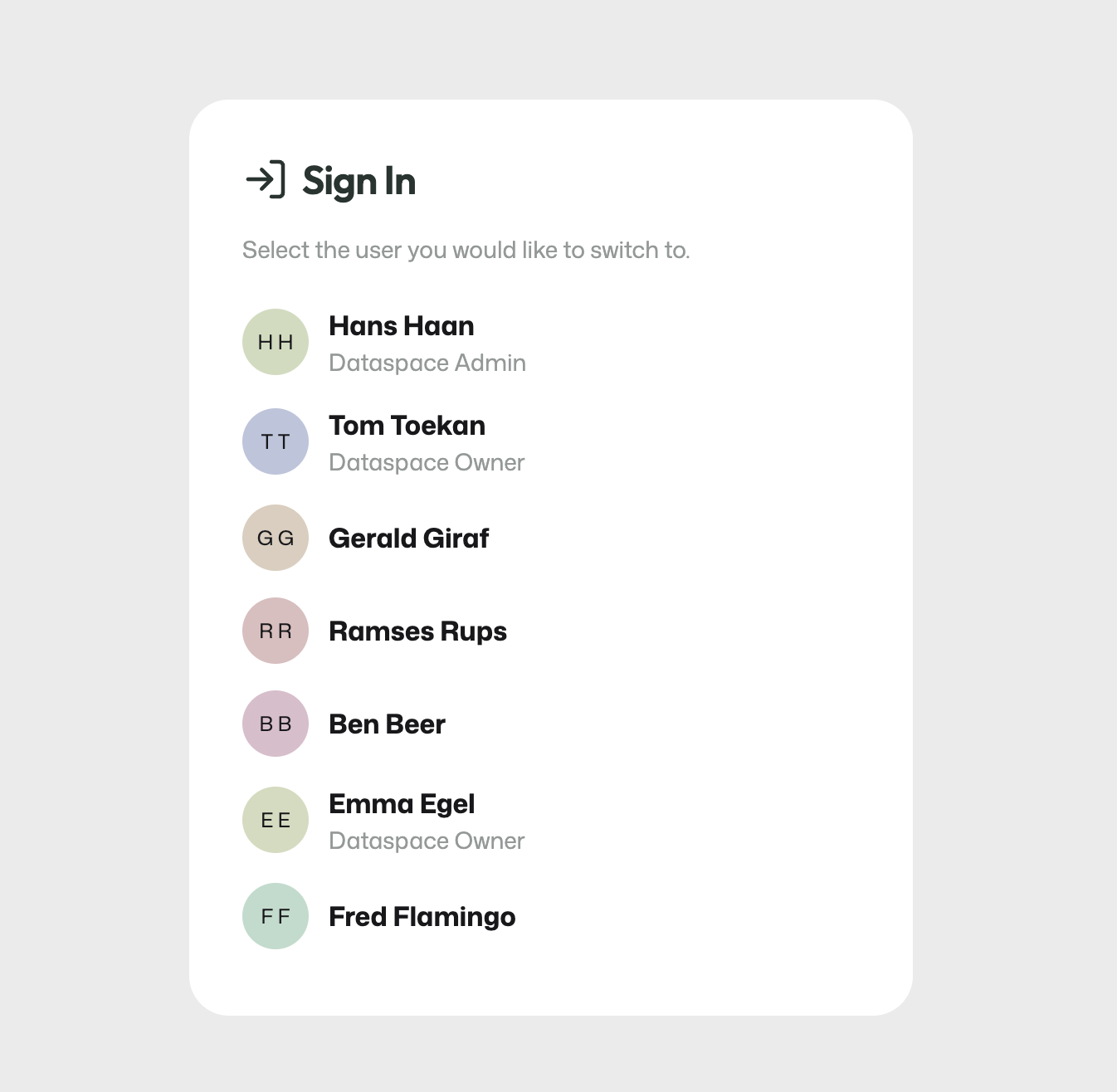
Demo sign-in screen with fictitious users and preconfigured roles.
What you see on this screen
The screen shows a list of demo users. Each user represents a fictitious person and may already have one or more roles assigned, such as Dataspace Admin or Dataspace Owner.
At the start of a clean demo setup, two accounts are typically preconfigured with the roles needed to begin structuring the environment.
What you do here
Select the demo user you want to continue as.
Use the preconfigured accounts to:
- create and structure domains;
- assign roles to other demo users;
- divide users across the domains you create;
- switch perspective when you want to demonstrate a different responsibility in the portal.
How this screen changes during a demo
As you configure more users and roles in the demo environment, those changes are reflected on this sign-in page as well. That makes it easy to move between users later in the demo when you need to act in another role.
For example, you may start as a Dataspace Admin, continue as a Dataspace Owner, and later switch to another user to demonstrate domain-level responsibilities.
Important
This is not the normal ArQiver production sign-in experience. It is a demo-only shortcut designed to make guided demonstrations faster and easier to manage.